

Embroidery
Embroidery is a customisation method that stitches a logo or design onto the cover cloth of your notebook using industrial embroidery machinery.
Embroidery creates a raised and textured design that is durable and gives your notebook a premium feel. Traditionally embroidery is seen within garments and soft furnishings but with new technology and a mix of heavy weight cloths, we are able to offer the customisation option on notebooks.
Our machinery allows up to 12 pantone colours allowing you to embroider multicoloured imagery as well as simple typography designs. Due to the stitching methods, embroidery can only be done on heavy weight book cloth so check with our team what materials would be suitable for this customisation.
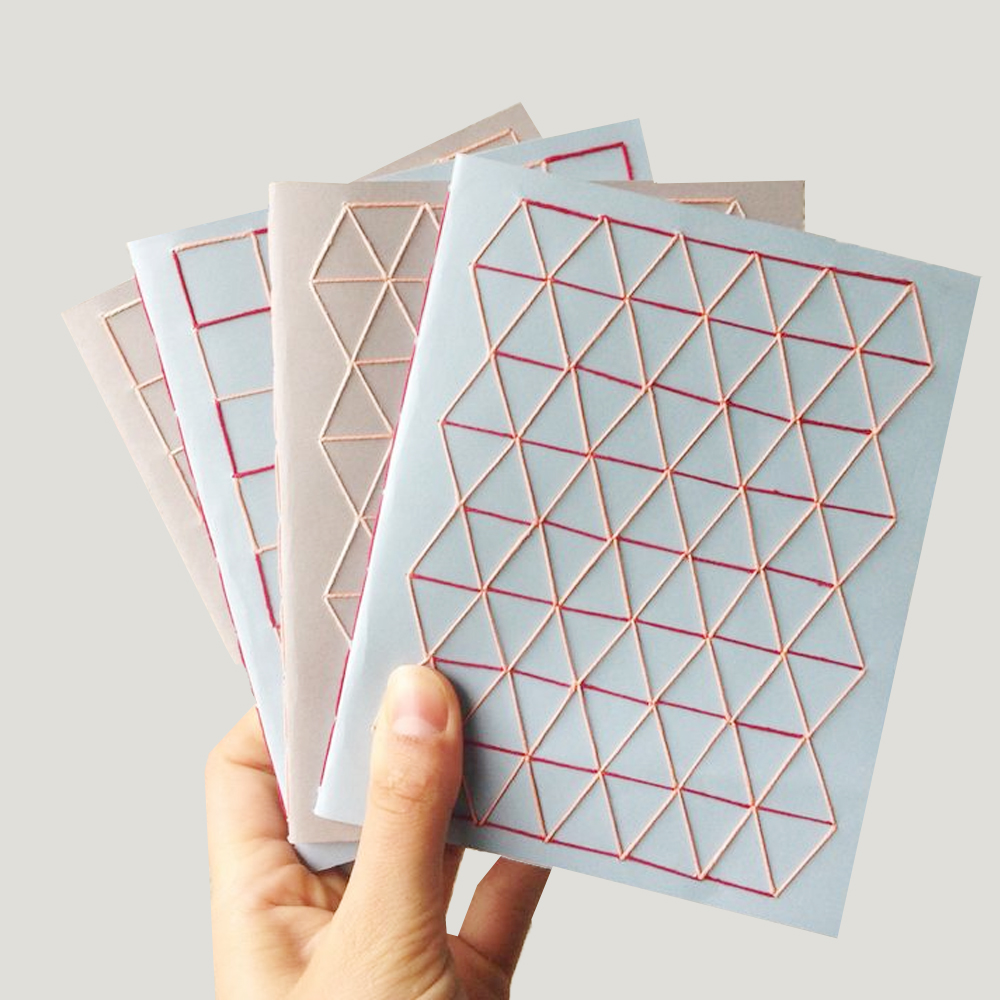
Things to consider:
- Minimum font weight is 18pt
- Maximum 12 colours allowed
- Colours should be provided in Pantone C
- Notebook material – limited to a selection of suitable cloths
- Avoid fine lines and text for better readability
Setting up artwork for Embroidery
Populating our templates
Populating our templates is very straight forward, simply open the template file with Adobe Illustrator and populate it with your designs. The template we will provide you with is ready to print and inclusive of the necessary bleed marks. Just ensure that all of the design elements you add into the template meet our requirements.
All pantone colours need to be embedded within the PDF file using the Pantone Connect extension. To embed your file simply:
- Open the Pantone Connect extension and select either the Solid Coated V5 or Uncoated V5 colourbooks.
- Select the shape or text you wish to fill with colour
- Select a pantone colour inside the Pantone Connect panel
- Click the three dots shown within the pantone swatch and select ‘Add to Swatch’
If you then click into the properties panel and double click the FILL section you will see all of the embedded pantones.
If you do not have access to the Pantone Connect extension we will accept the file with CMYK profiles. We will require you to provide us with the exact pantone codes you wish us to use.
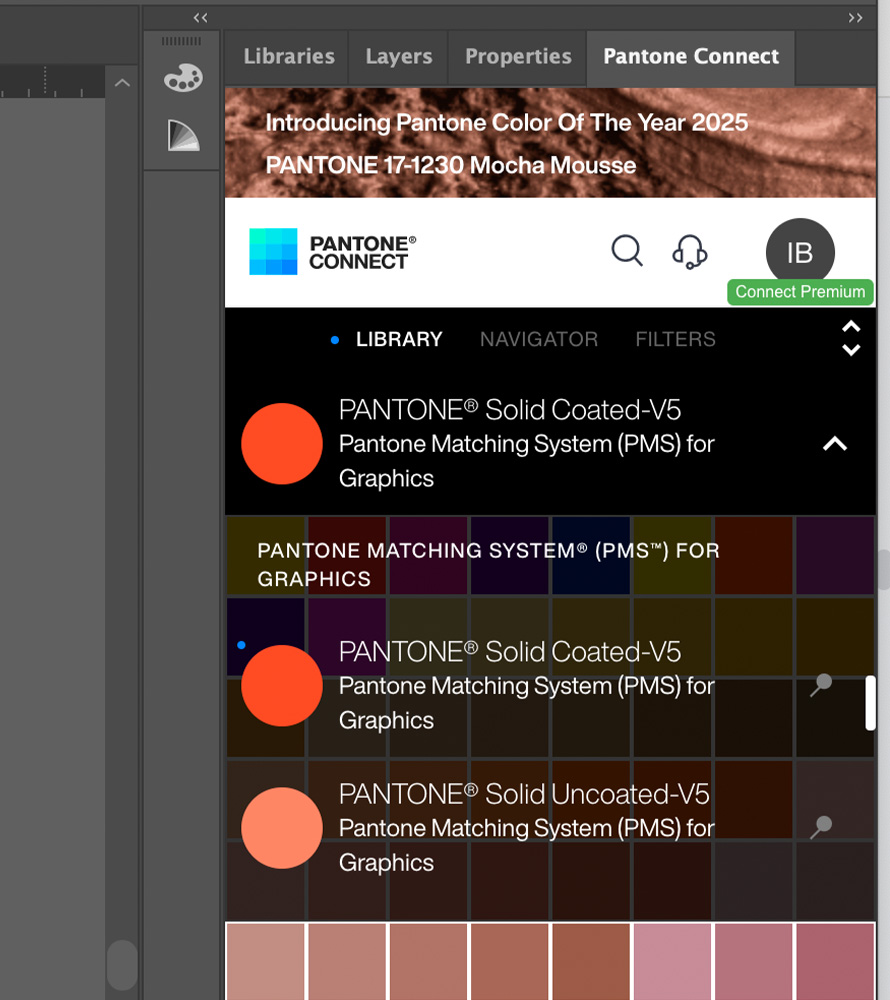
Choose Pantone Coated or Uncoated colourbook
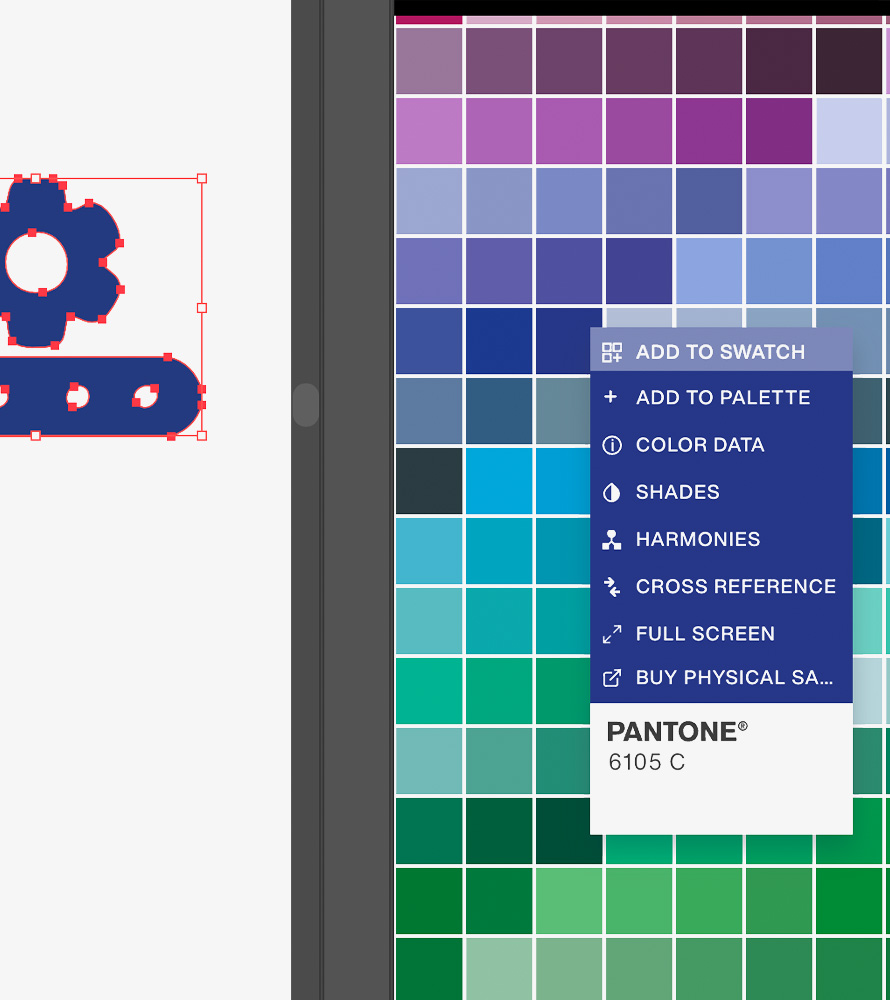
Right click pantone colour to add to swatch
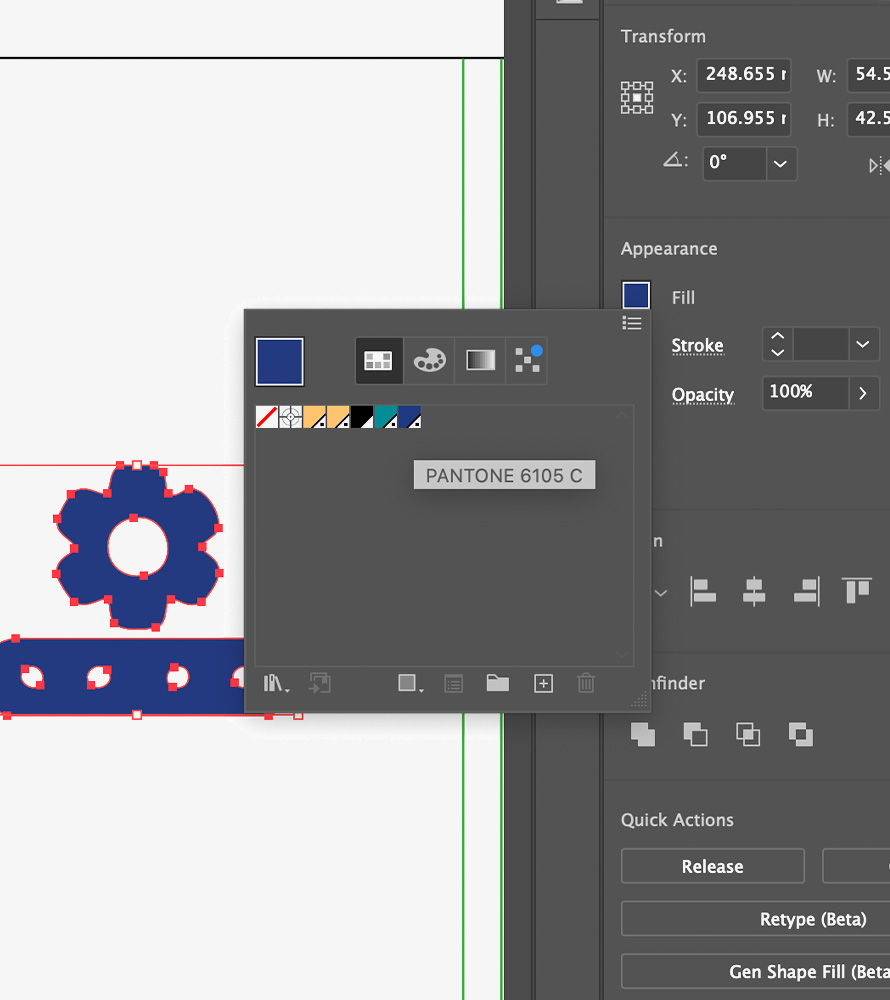
See your pantone in swatches
Save the changes you made ( File > Save) to the template and your artwork is now ready for production. If you wish to make adjustments to this after saving the changes, we recommend saving the updated version as a new file (File > Save A Copy) so that you have access to both versions.